Supercharge your data app
Rowstack is the datagrid component that helps you build your app faster and ship sooner.
Integrates with your favorite framework
Rowstack is built with React and works with all React frameworks. CSR or SSR.







Redefines what a grid can do
Sort, filter, group and aggregate your data to get detailed insights. Performance guaranteed.
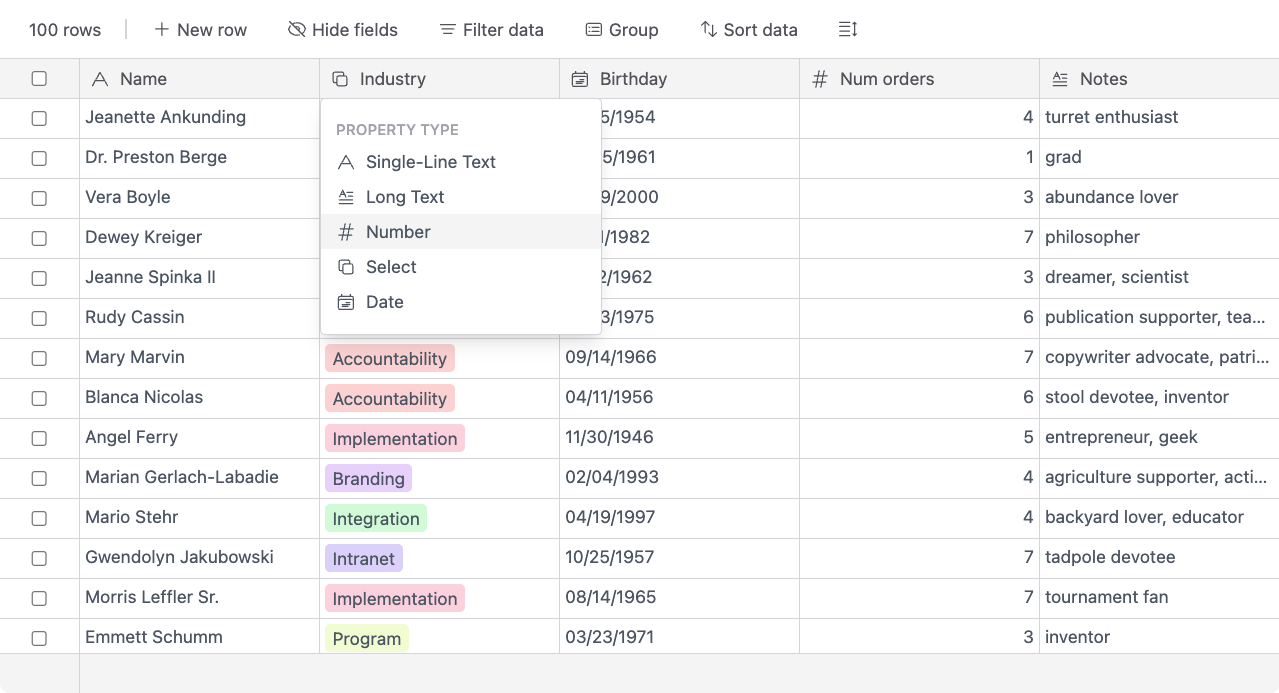
Render data using types
Automatically format and validate your data based on industry-standard types. Rowstack understands your data structure intuitively.
Sort, filter and group data
Dynamic organization tools that let you drill down into your data instantly. Group by any column to see nested aggregates.
Hide columns for custom views
Create personalized data perspectives by easily toggling column visibility. Save views for different user roles.
Summarize and aggregate columns
Built-in mathematical functions to calculate totals, averages, and counts across your dataset without extra code.
Customize cell height and width
Fine-grained control over layout to ensure your data is always presented perfectly, no matter the content size.
Batteries included, just bring your data
Rowstack is designed to be easy to get started with sensible defaults, while remaining fully configurable as your needs grow.
import Table from '@rowstack-io/rowstack';

function Datagrid() {
  const columns = [
    { id: 0, name: "Name" },
    { id: 1, name: "Description" },
  ];

  const data = [
    { id: 0, 0: "Sam Altman", 1: "CEO @ Open AI" },
    { id: 1, 0: "Elon Musk", 1: "CEO @ Tesla" },
    { id: 2, 0: "Jeff Bezos", 1: "Founder, Amazon" },
  ];

  return (
    <div style={{ width: 600, height: 400 }}>
      <Table data={data} columns={columns} />
    </div>
  );
}
Managed state
Simply fetch initial data from the server and pass it to Rowstack. It manages the rest.
Zero config
Rowstack works out of the box with sensible defaults, but can be fully customized when needed.
Modern design
Rowstack is painstakingly engineered down to the pixel to be fast and modern.
Context menus
Right-click on any cell to open a context menu with common actions.
Custom renderers
Render any content in a cell using custom renderers. Text, images, or even other components.
Keyboard navigation
Navigate the grid using your keyboard. Arrow keys, Enter, Esc, and more.